
See it before
you sign up.
Every picture below is the real application, not a drawing. This is what your team sees the day after you create your company: the workspace, the catalogue you install from, your people, your bill and a record of everything that happened.
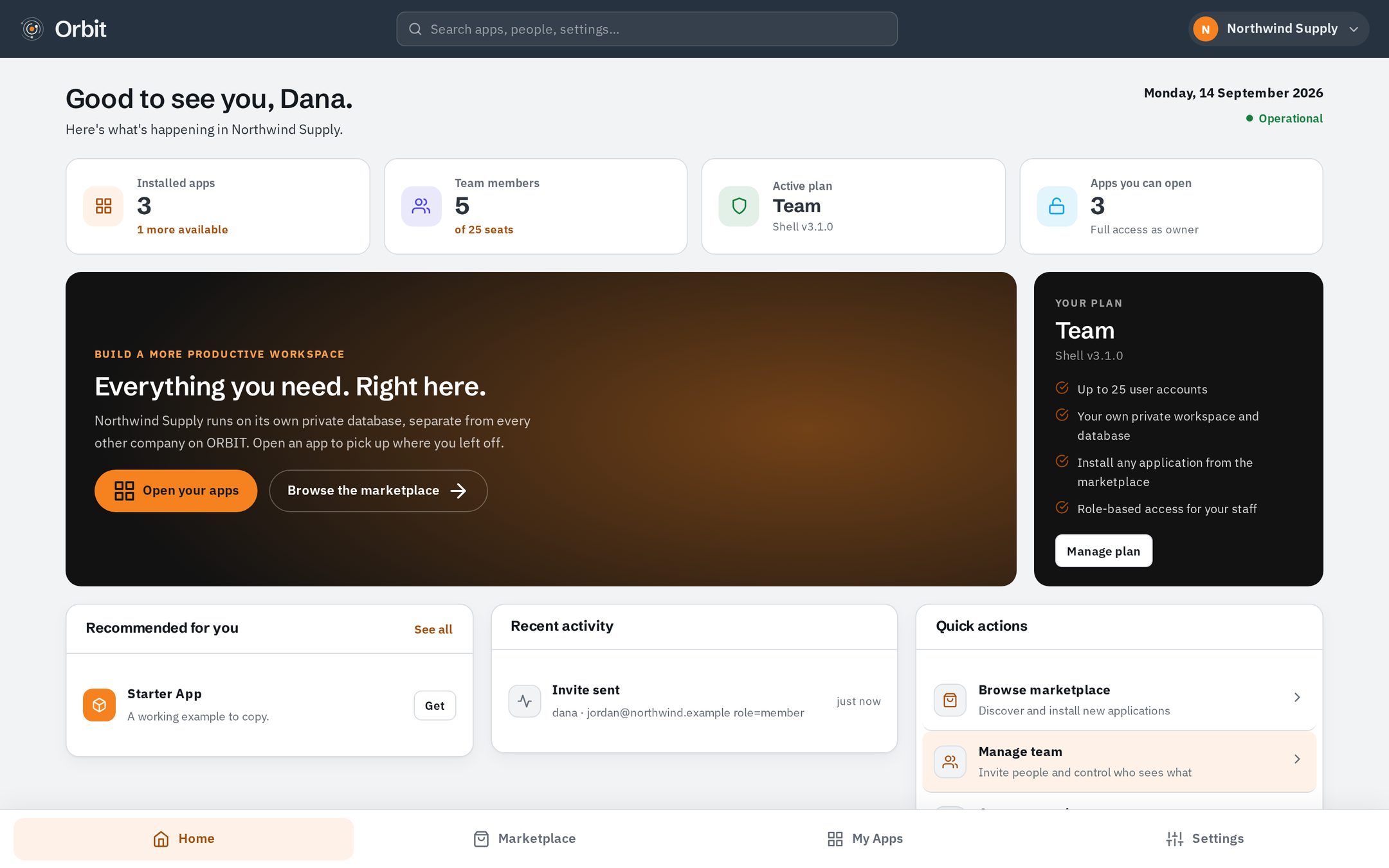
Your workspace
Sign in and you land here. The tiles are the applications your company has installed — nothing else, because a workspace only contains what someone chose to put in it. The numbers are read from your own database, so they are your numbers and nobody else can see them.
- Your company name and plan, top right
- Only the apps you installed, as tiles you can open
- A live status pill — the platform's real health, not a badge
- Search across apps, people and settings
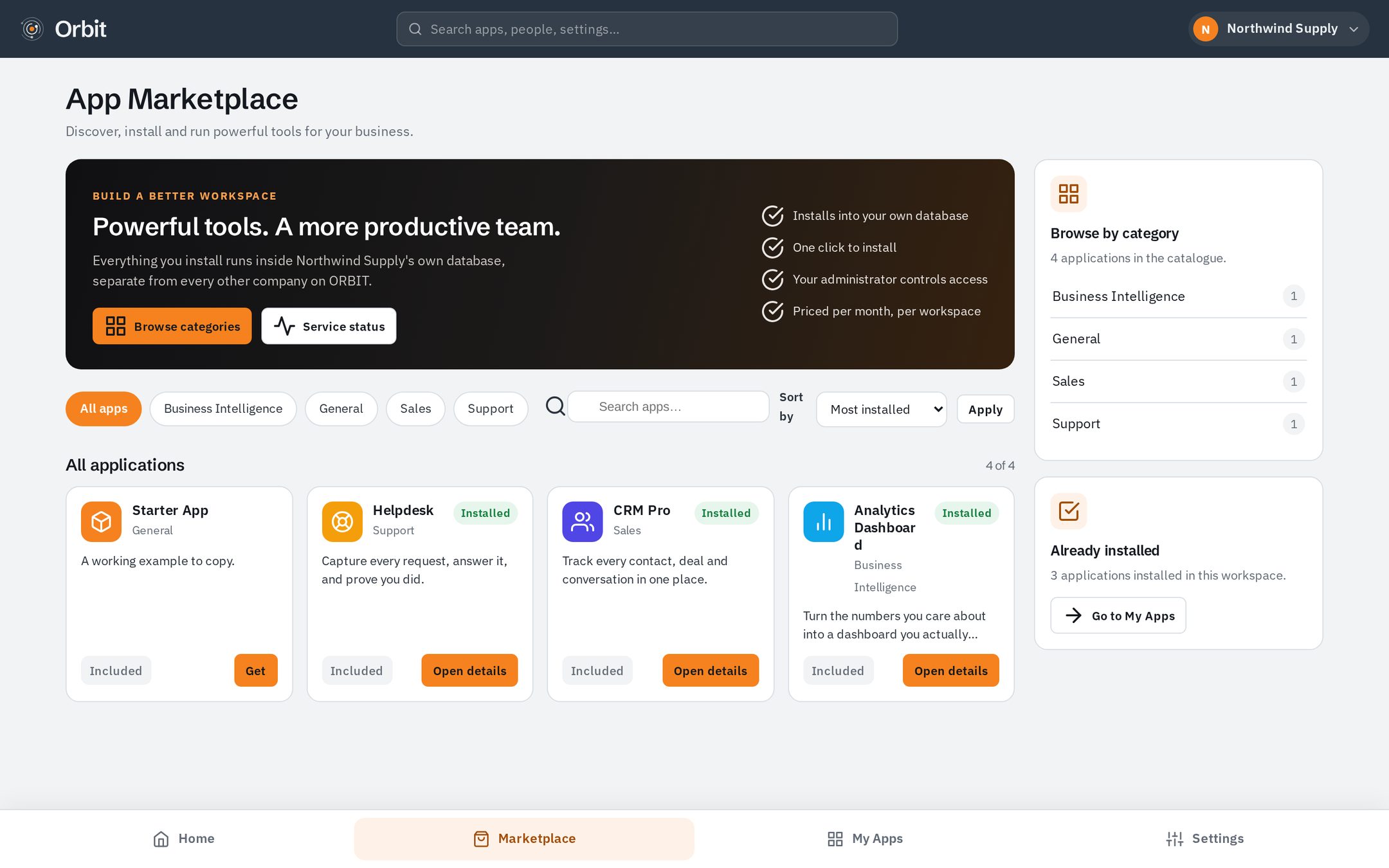
Installing an application
Open the marketplace, read what an application does, press Install. That is the whole process — there is no provisioning ticket and nothing to configure before it works. Installing creates that application's tables inside your database and nowhere else.
- Every app lists its features before you commit
- Install and uninstall are both one press
- Uninstalling can keep your data or drop it — your choice
- Who may open the app is decided afterwards, per person
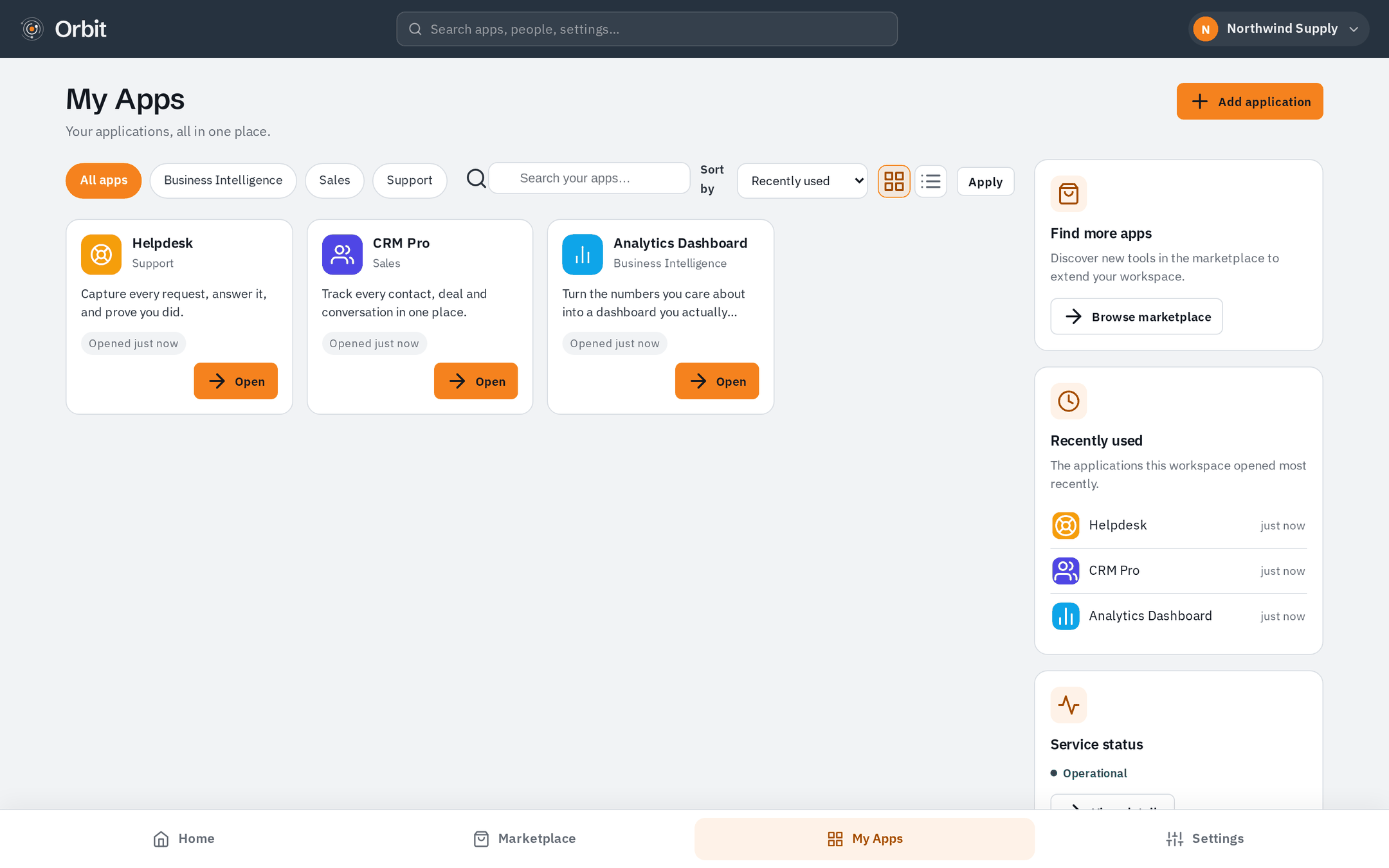
The apps you installed
A list of everything running in your workspace, with its version and when it was installed. Applications are updated centrally, so you are not chasing upgrades — and because each one keeps its data in your database, an update never mixes your records with another company's.
- Version and install date for every app
- Open, configure or remove from one place
- Each app has its own settings, separate from the others
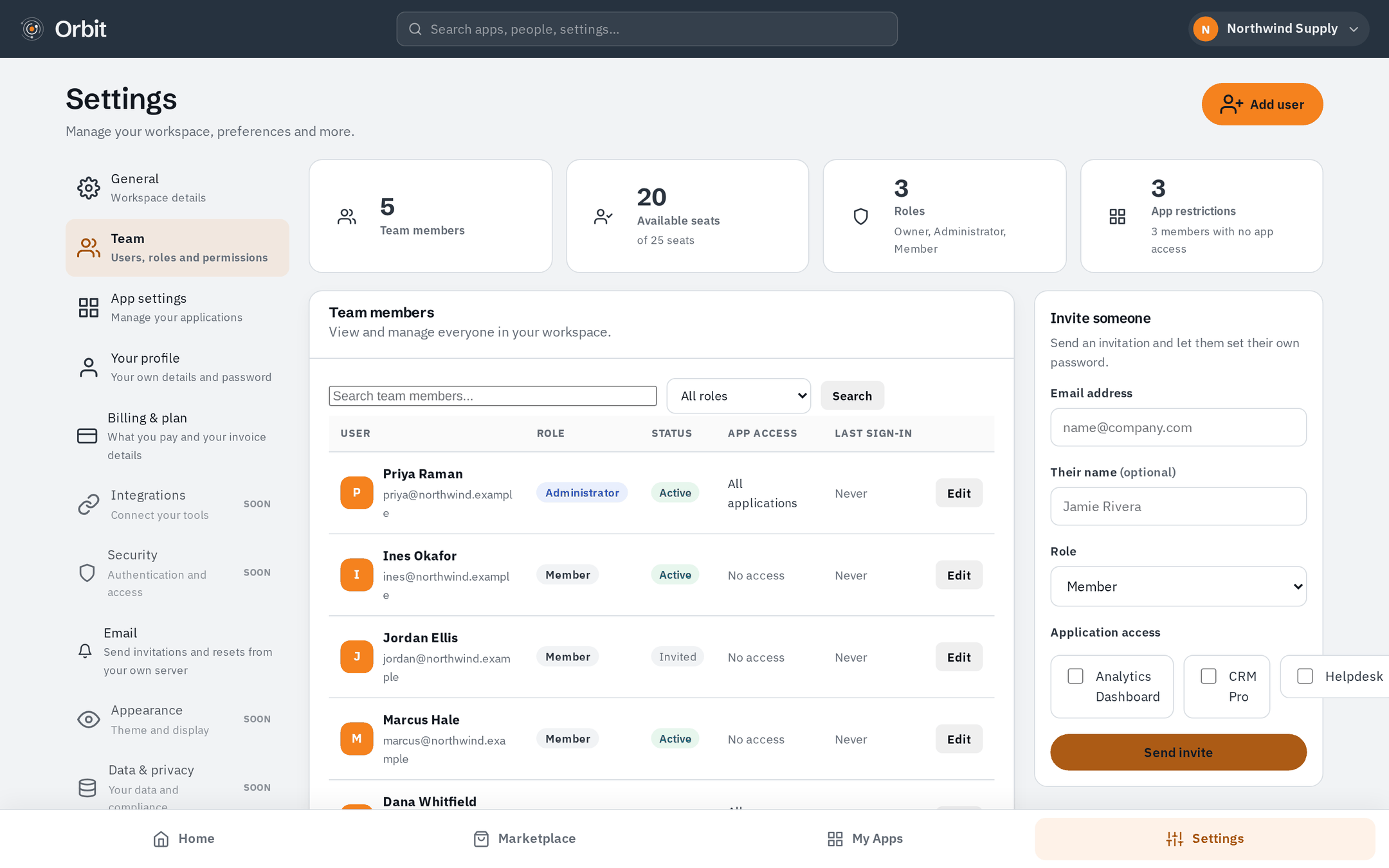
Your team
Invite people by email. They set their own password from a signed, expiring link — you never type, see or store a colleague's password. Each person gets a role, and you choose which applications they may open.
- Invite by email; the invitation expires on its own
- Roles decide what someone can administer
- Per-app access, per person
- Remove someone and their access ends everywhere at once
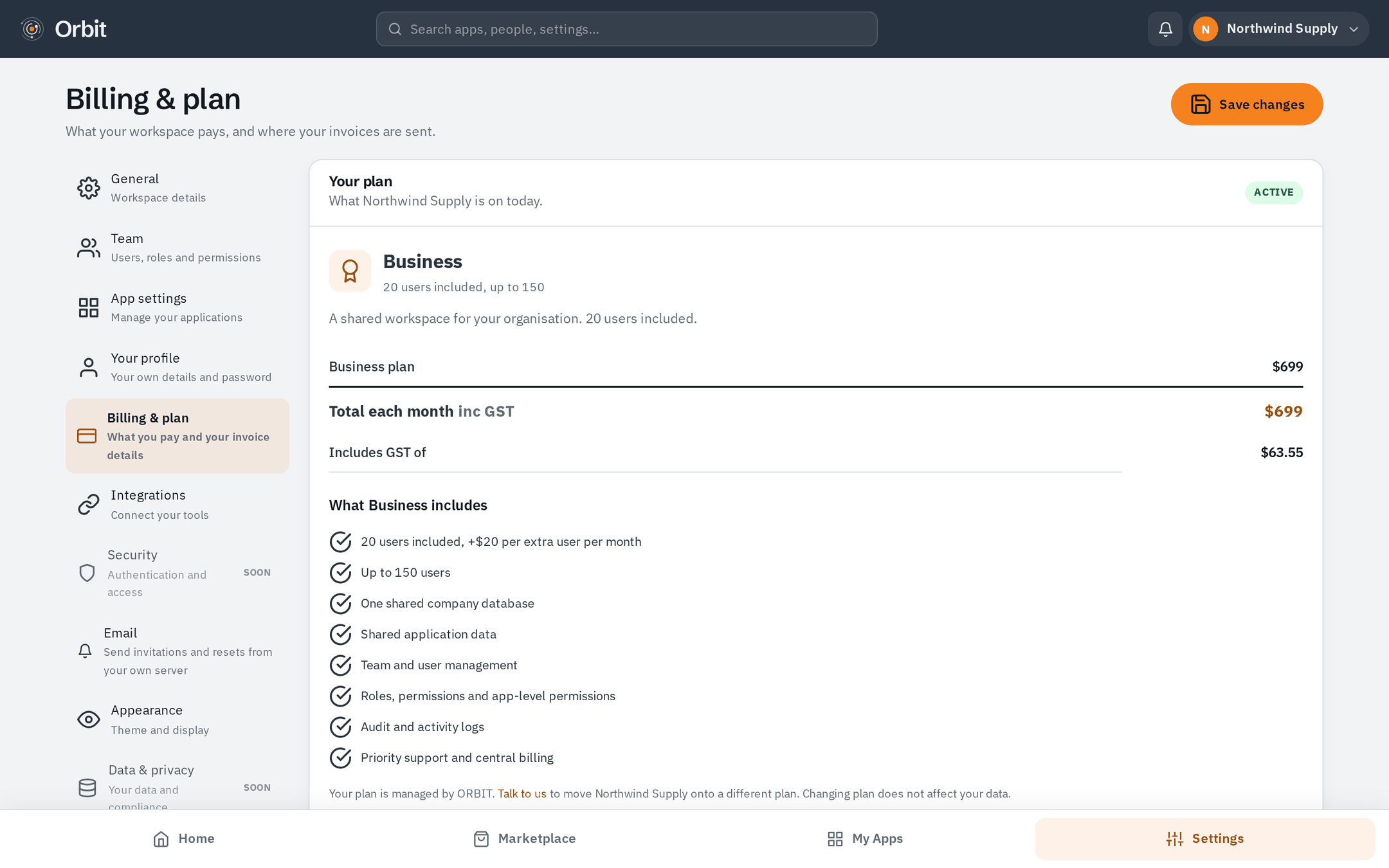
Billing, with the sums shown
Your plan, how many seats you are paying for, what the next invoice will be and when it is due. The arithmetic is on screen: you should never have to reverse-engineer your own bill.
- Current plan and seat count
- The next amount and the date it is taken
- Every amount shown inc GST — talk to us to change plan
- Nothing is charged during your first 30 days
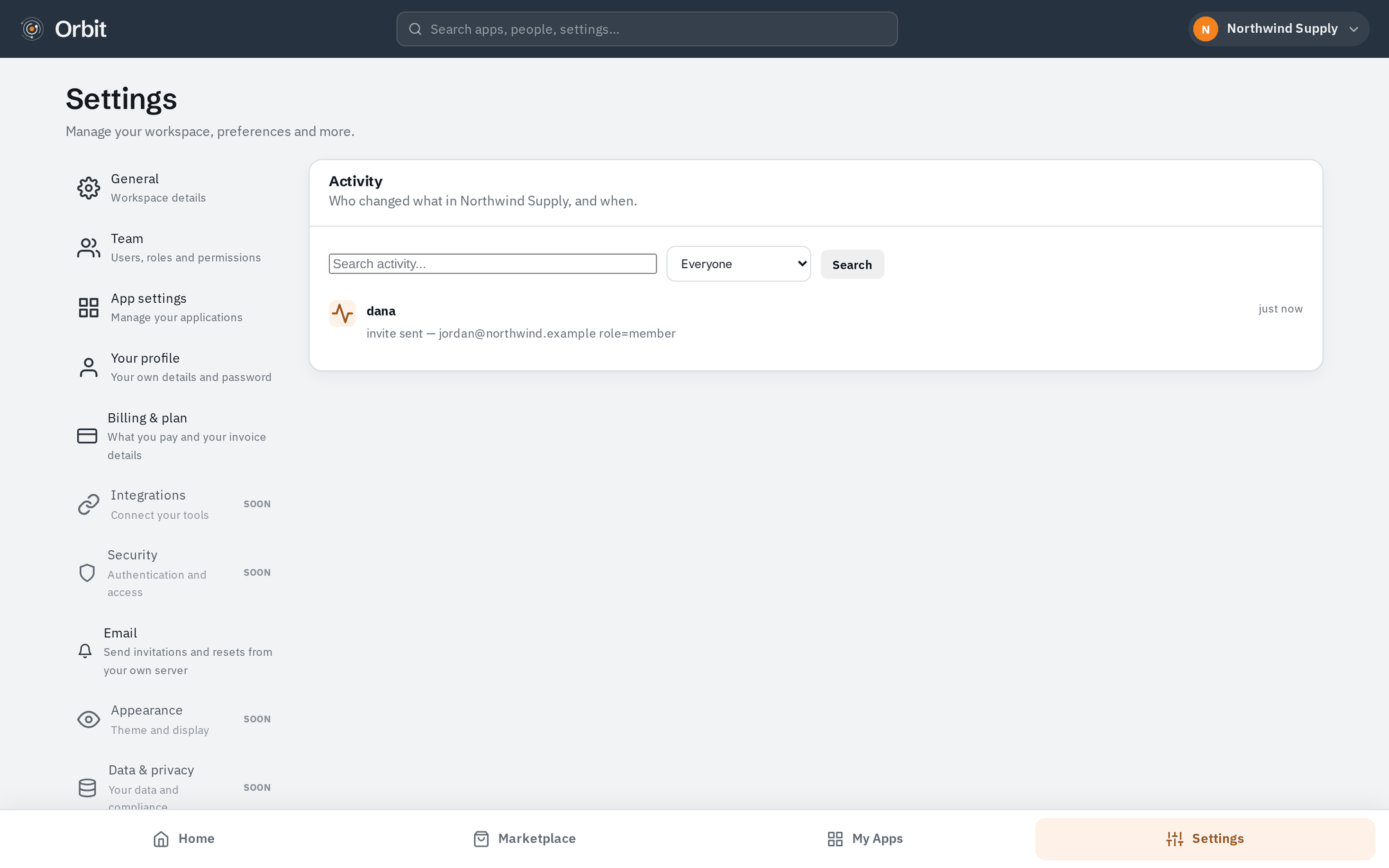
A record of what happened
Who installed an application, who invited whom, who joined, what changed and when. Kept in your company's own database, written by the product rather than by whoever remembers to write it down.
- Actor, action and timestamp on every entry
- Installs, invitations, joins and setting changes
- Stored with your data, not in a shared log
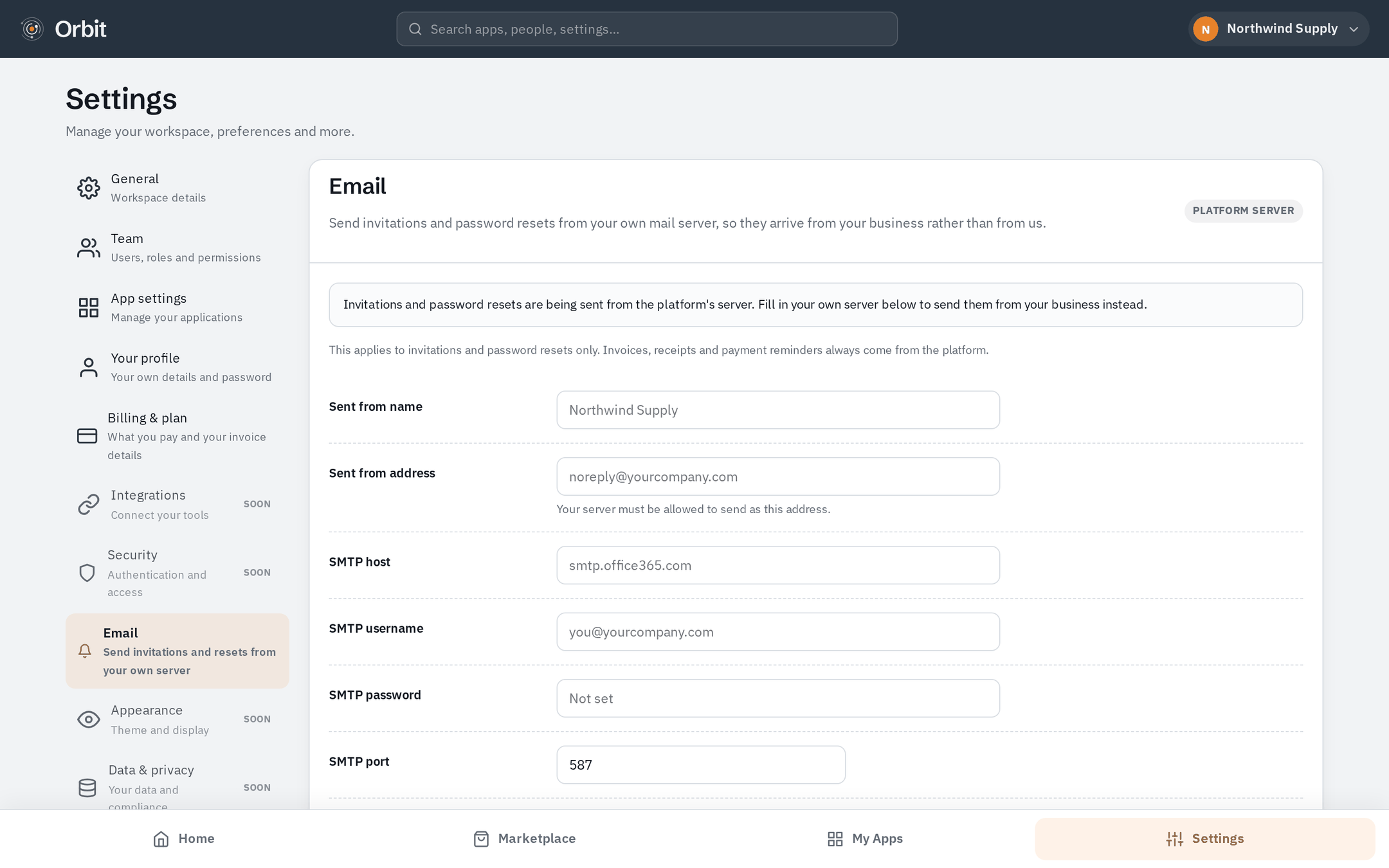
Mail that comes from you
Point the workspace at your own SMTP server so invitations and password resets arrive from your domain, not from a stranger's. There is a test button, because the moment to find out that mail is misconfigured is now and not when a new starter is locked out.
- Your SMTP host, your sender address
- Send a test message before you rely on it
- Used for invitations and password resets
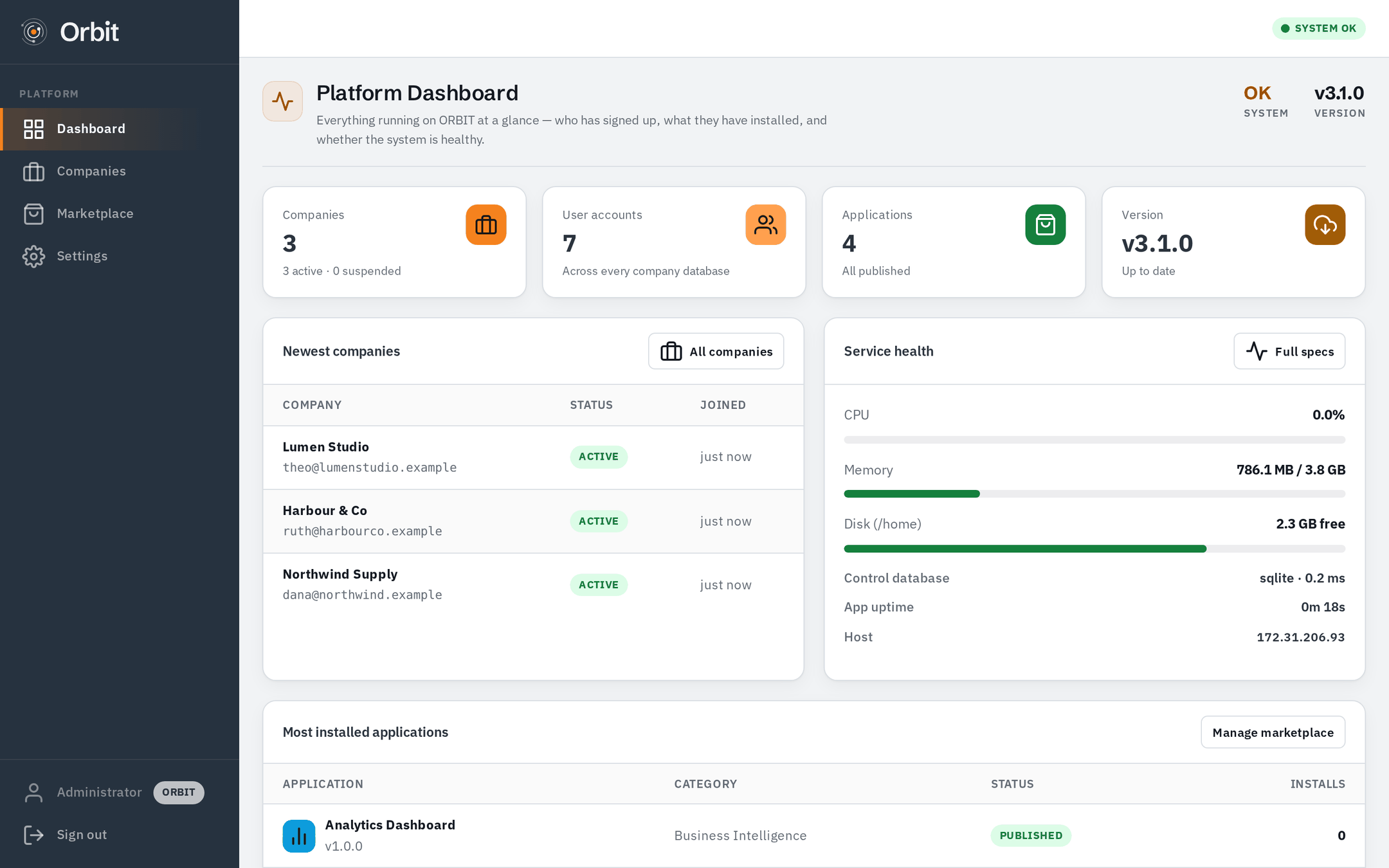
And if you run the platform
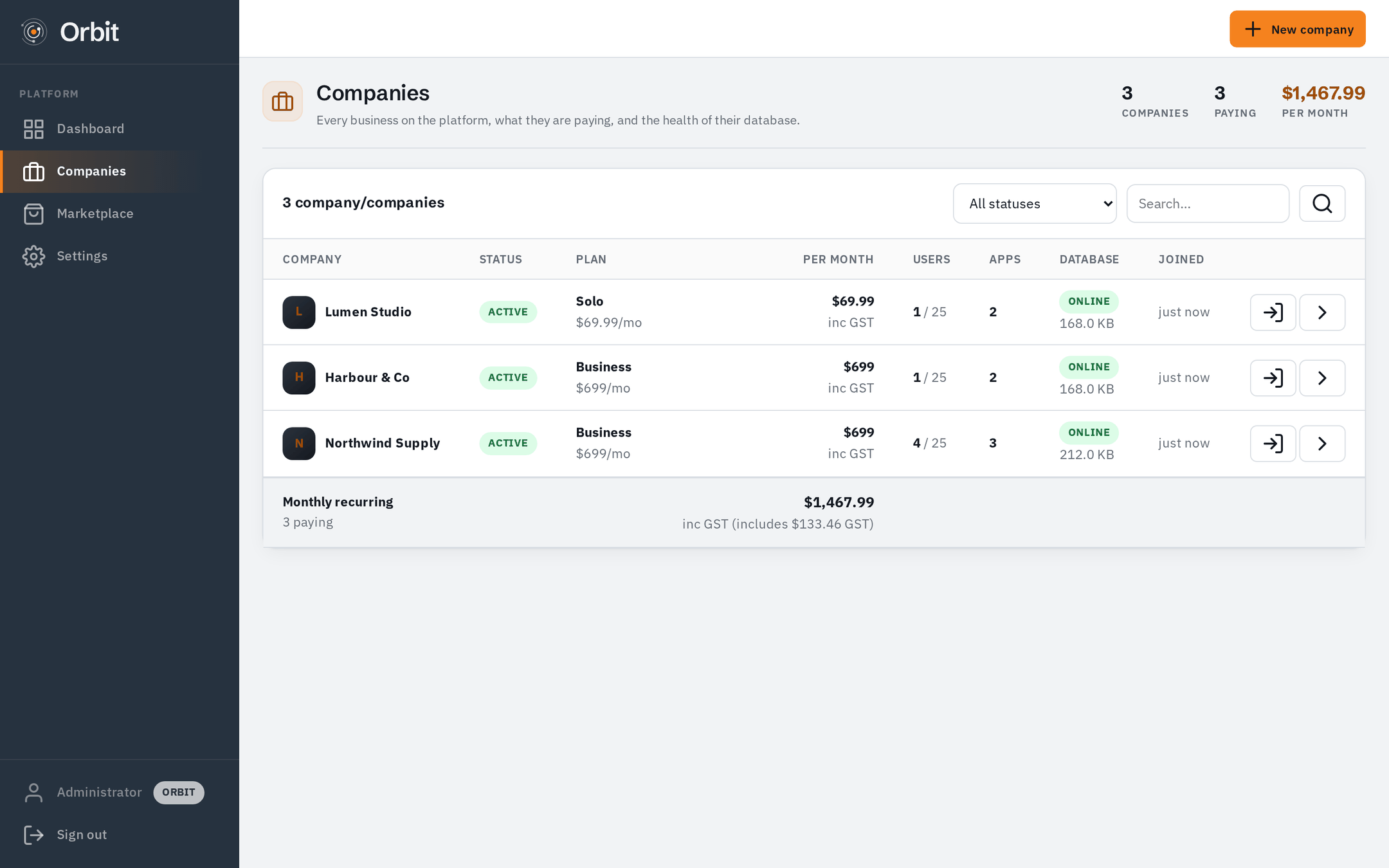
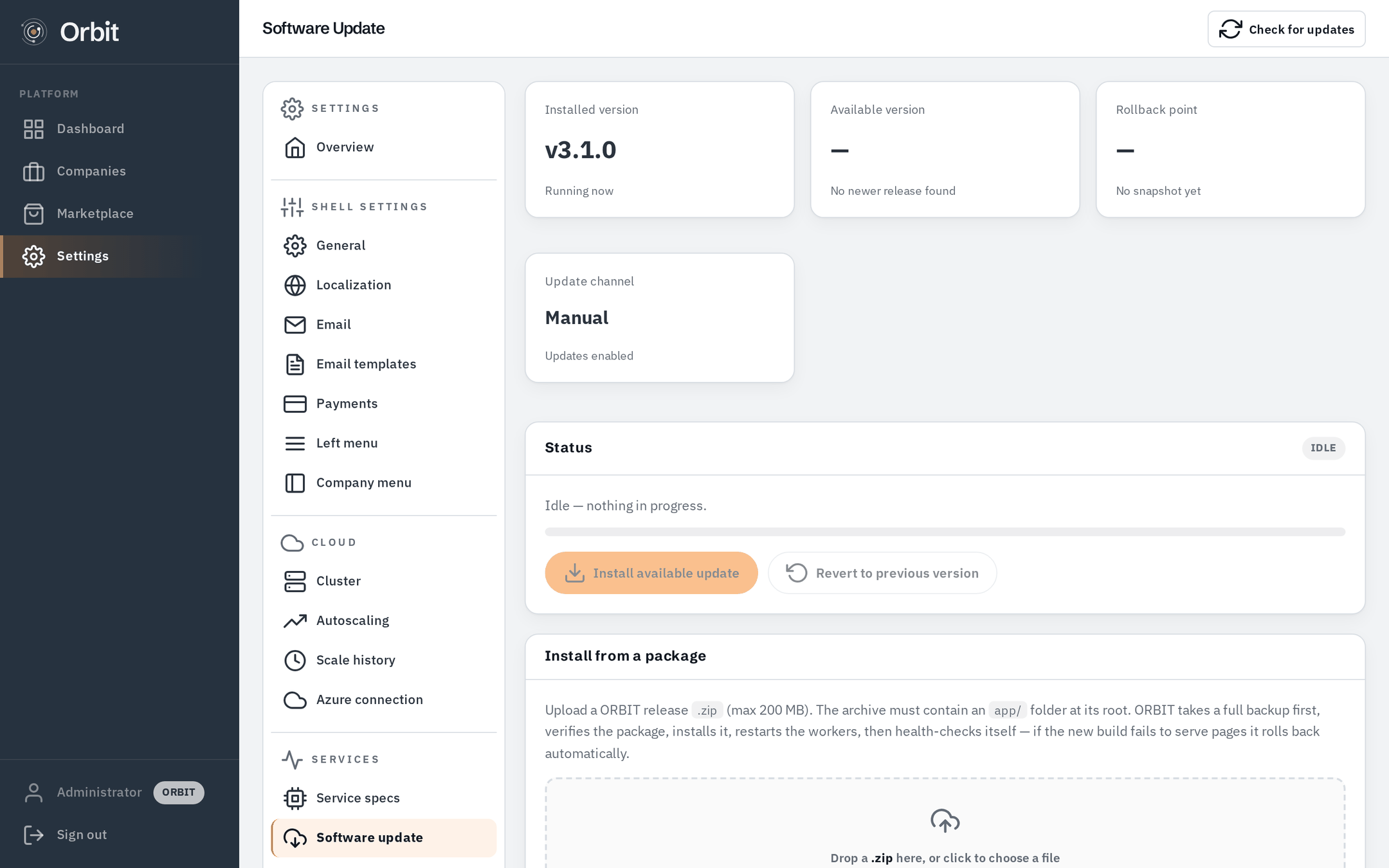
The screens above are what a company sees. Whoever operates Orbit gets a separate console: every company, the health of the machine underneath, and updates that back up before they touch anything and roll back if they fail.
Your turn.
Create your company and you will be looking at screen 01 in about a minute. Free for the first 30 days, no card needed.