Accord
HR & People
Read. Agreed. On record.
v1.1.1
Details →

Register your company and it gets a private workspace with a database of its own. Then install only the applications you actually want — each one arrives with its own data, its own settings and its own access rules.
Free for your first 30 days on any plan. Every price includes GST.
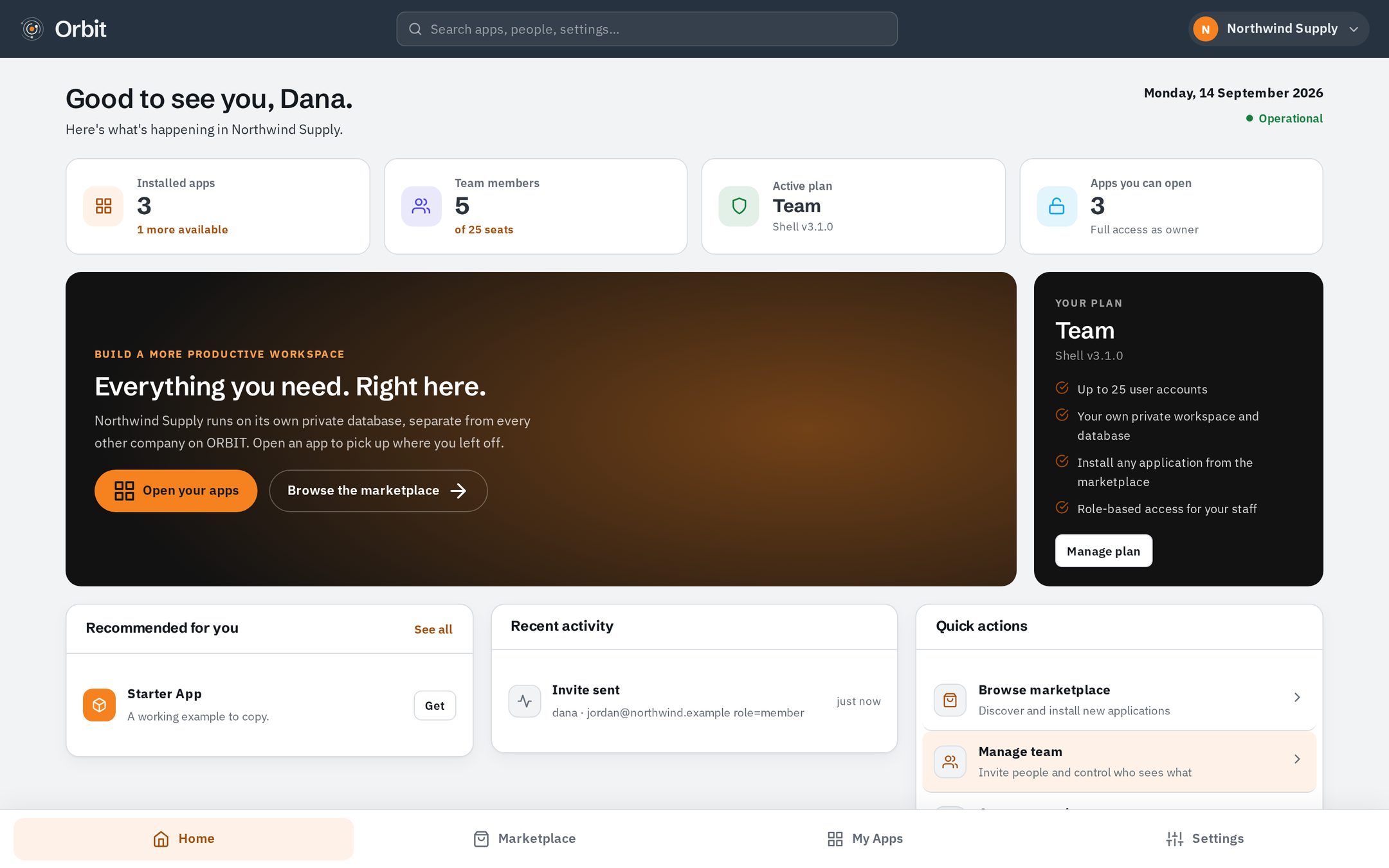
Most software puts every customer in one big database and filters by a column. Orbit does not. When you register, your company gets its own database — so there is no query path from anyone else's company to yours.
These are photographs of the real product, not drawings. Here is what your team would actually use.
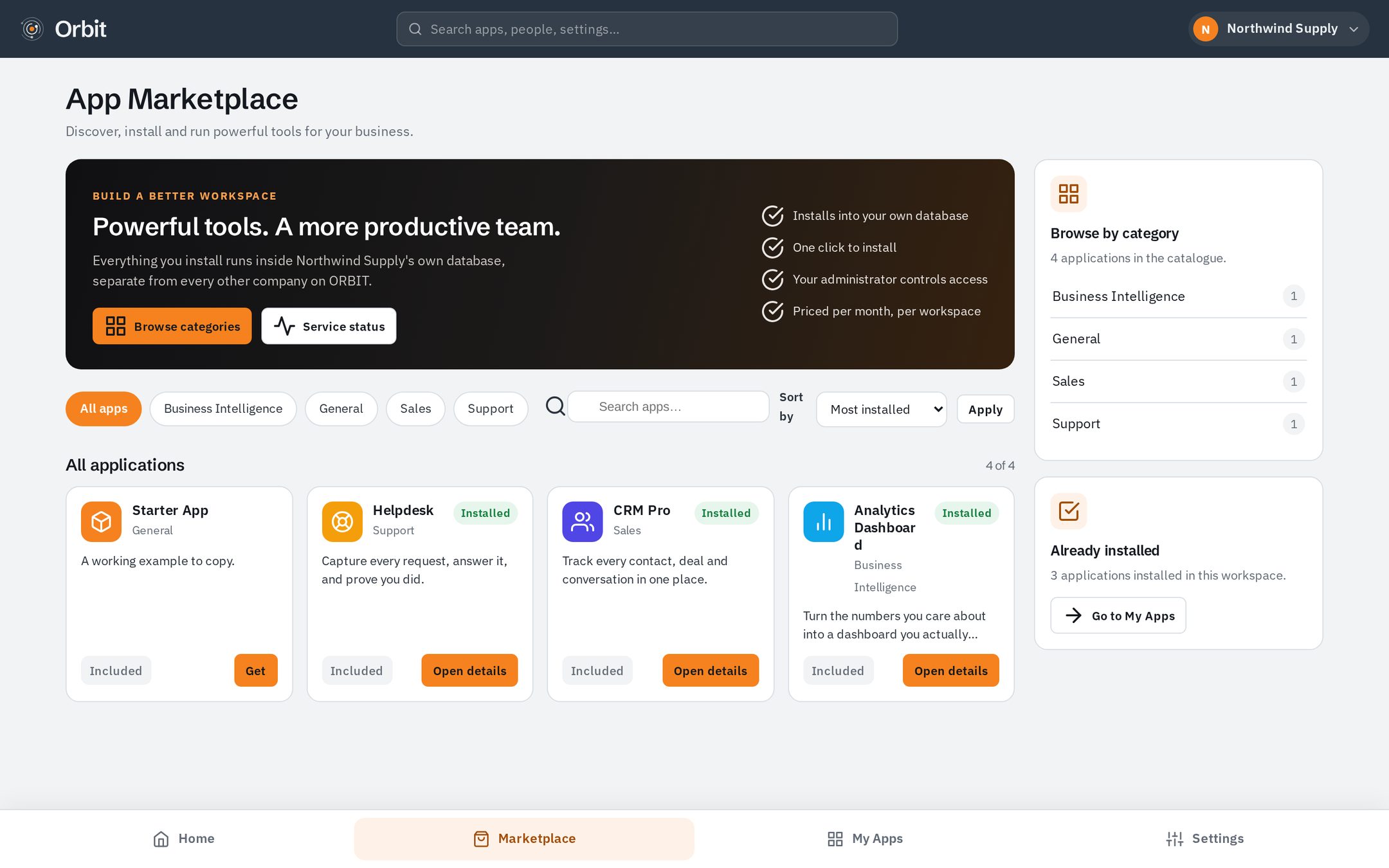
The marketplace is the whole catalogue. Read what an application does, what it costs and what it will install, then add it with one click. Nothing you did not choose is ever switched on.
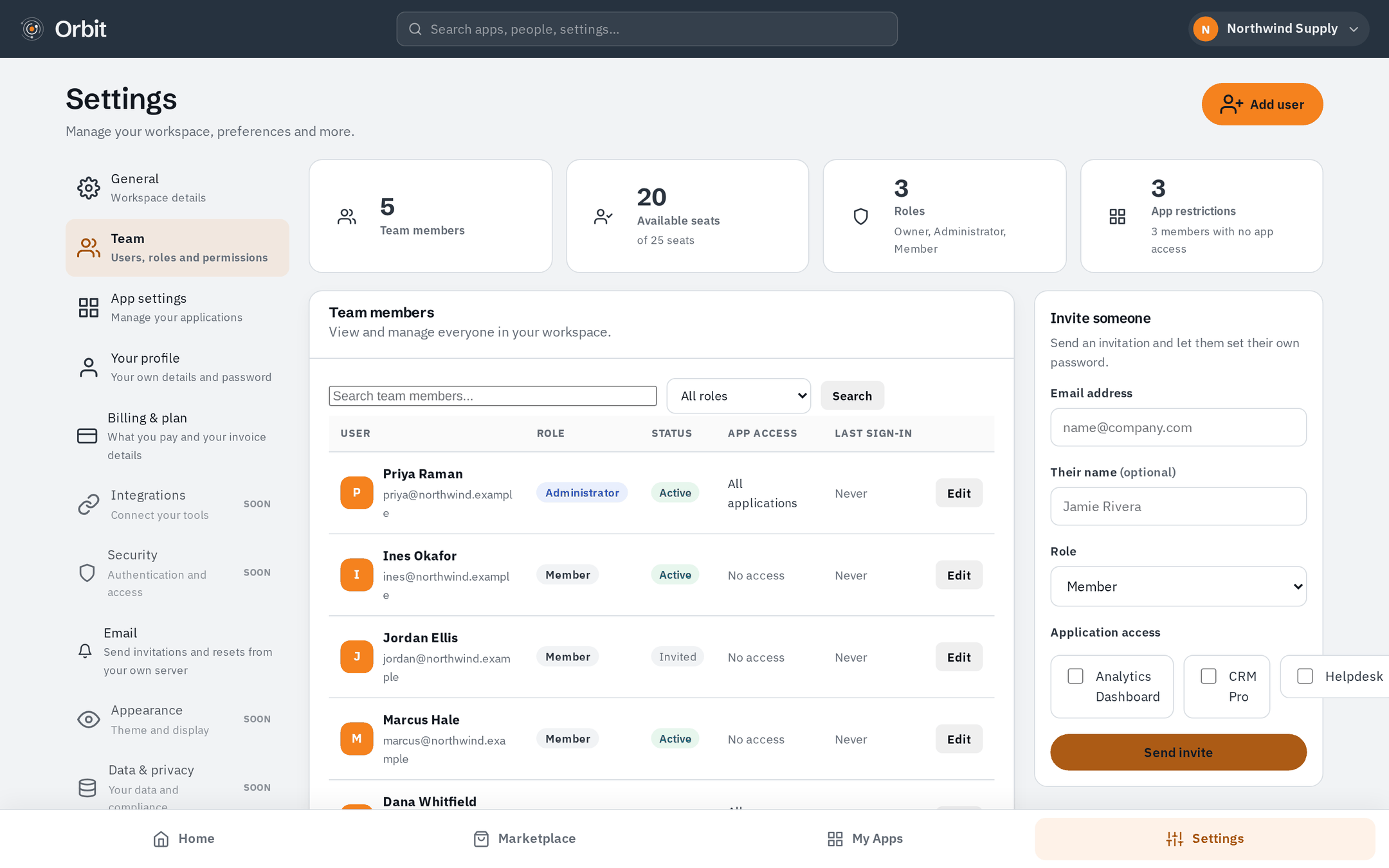
Send an invitation and the person sets their own password — you never type it, and it is never emailed. Give them a role, then choose which applications they can open.
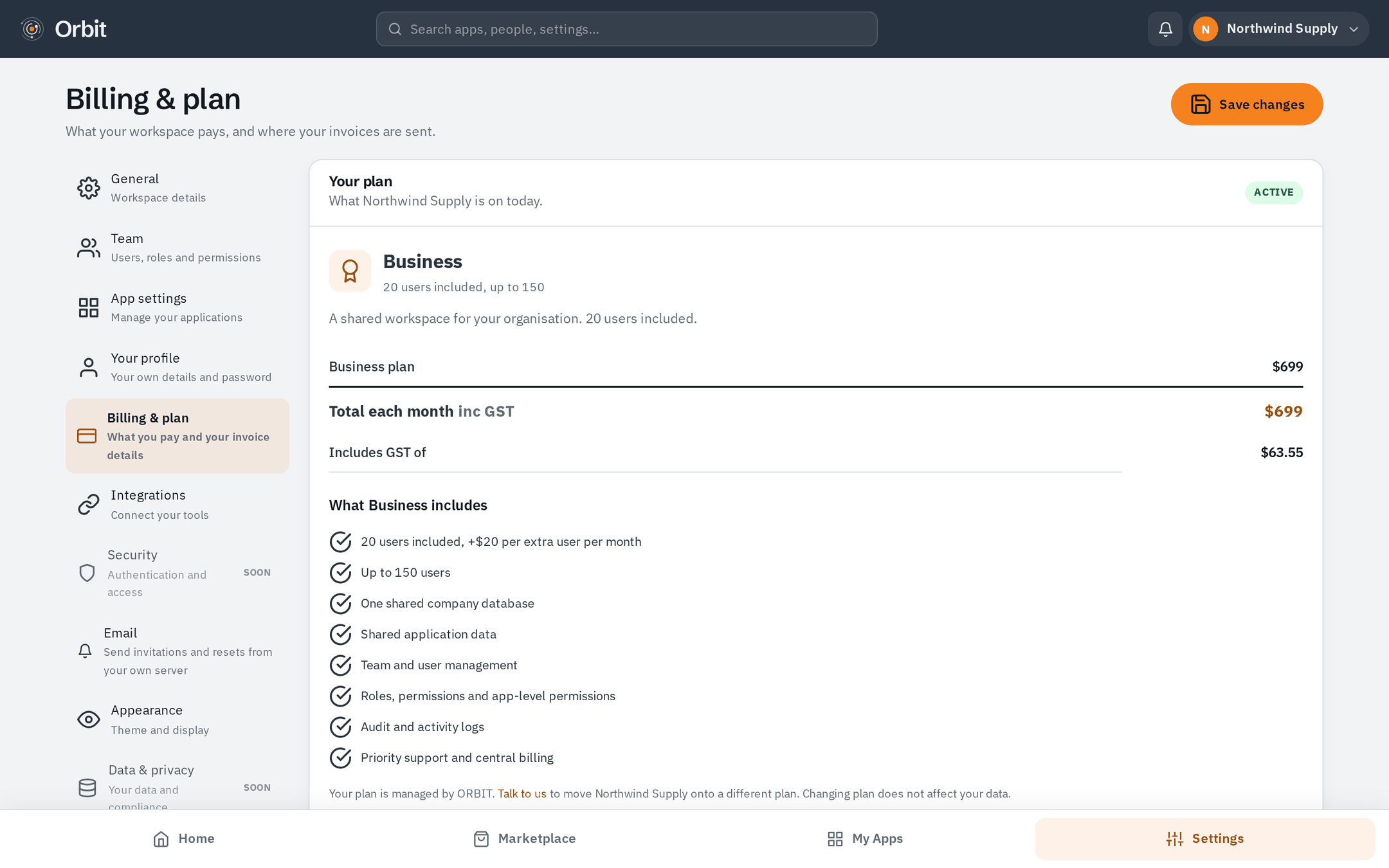
One page shows the plan, every application you have added, the tax and the total — with the date of the next payment. Every figure on it comes from the same bill; nothing is recalculated somewhere else to disagree with it.
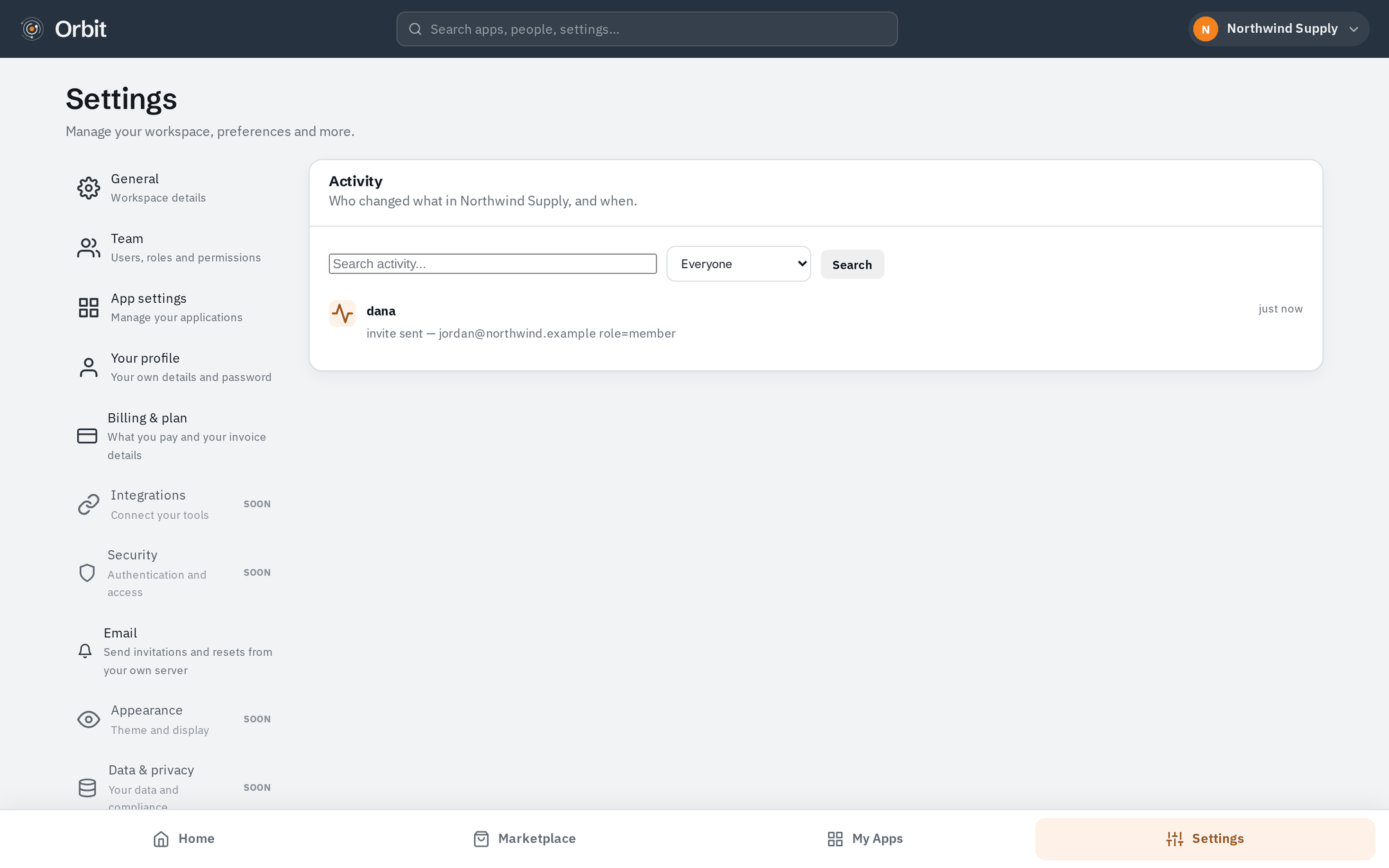
Every meaningful change in your workspace is recorded: invitations, new users, installed applications, settings. Searchable, filterable by person, and kept inside your own database with everything else.
Each one sets its tables up inside your workspace's own database the moment you add it.
Read. Agreed. On record.
Every asset. Exactly where it belongs.
Plan, write and schedule social posts for all your accounts.
Bring the team in. Spaces, topics and direct messages in one calm place.
Crawl, audit and track ranks inside Orbit.
Create and look after WordPress sites in your own cloud account.
This is the part most platforms gloss over. On Orbit, every company has a database of its own — and you can see it in the operator's console: separate databases, separate sizes, separately online.
Solo for one person, Business with 20 users included, Enterprise built around your organisation. Every price includes GST, and annual billing saves on the platform. Every plan starts with 30 free days.
For one person. Your own private workspace and database.
A shared workspace for your organisation. 20 users included.
Custom users, infrastructure, integrations and commercial arrangements.
Yes. Your company gets its own database when you register — not a row in a shared table with a filter on it. There is no query path from another company's workspace to yours.
They get a link that is single-use and expires. They set their own password, so you never type it and it is never sent by email. You choose their role and which applications they may open.
Any time. Pay monthly or yearly — there is no lock-in contract and no exit fee. A yearly plan runs to the end of the year you paid for. If you cancel during your first 30 days you pay nothing at all.
Create your company, install what you need, invite your people. You can have a working workspace before your coffee goes cold.